


 0
0
What NNTP Pipelining Does
NNTP pipelining changes how SABnzbd communicates with your Usenet server. Instead of waiting for a response after each article request, SABnzbd sends multiple requests in sequence without pausing.
This reduces idle time between requests and helps maintain a steady flow of articles, which can improve overall transfer rates in certain conditions.
When It Makes a Difference
NNTP pipelining is most effective in situations where there is noticeable delay between your system and the Usenet server.
Common scenarios include:
- Connections with higher latency (for example, long-distance routing)
- Setups using fewer connections
- Systems where throughput fluctuates or stalls intermittently
On the other hand, if your connection is already reaching its maximum throughput, increasing request concurrency may not produce further gains.
How to Configure NNTP Pipelining in SABnzbd
Follow these steps to adjust pipelining in SABnzbd:
1. Open the Server Settings
- Access the SABnzbd Web interface
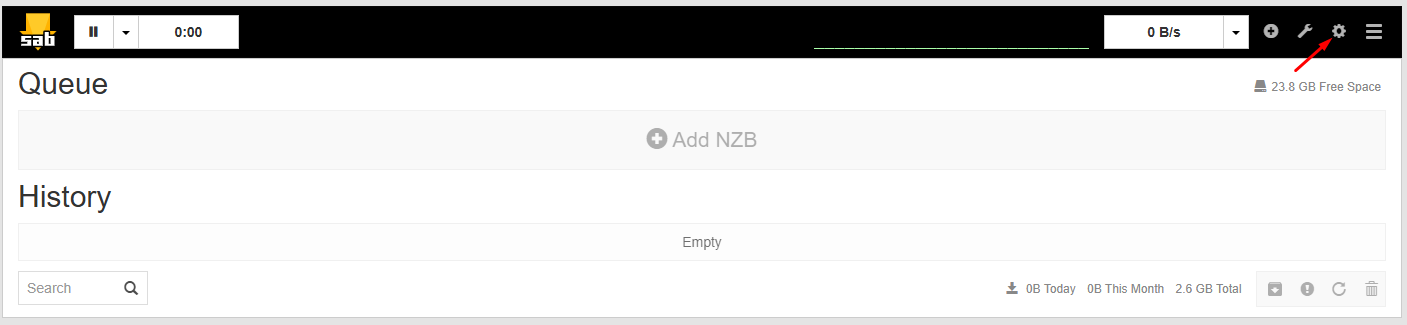
- Click Settings
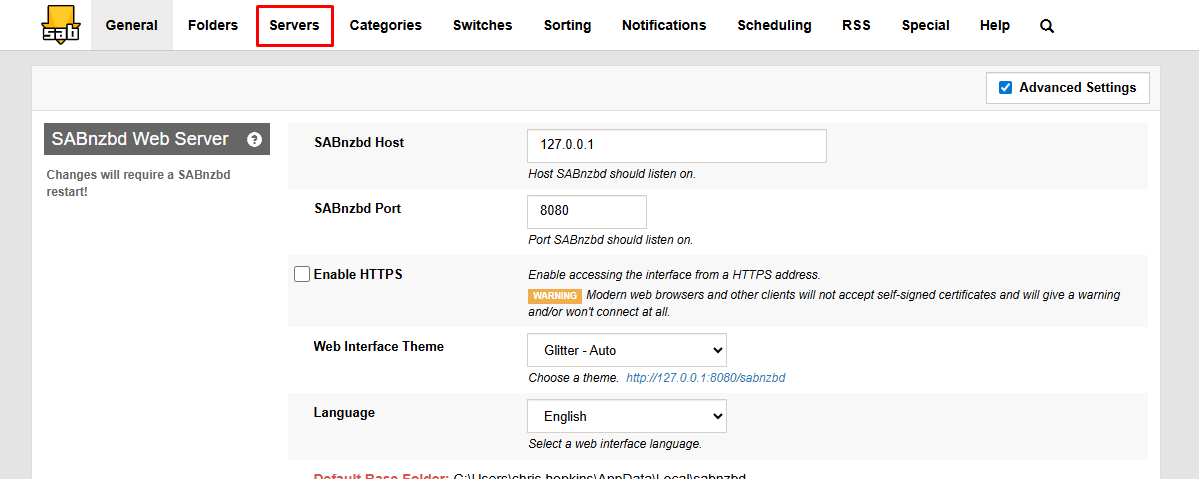
- Select the Servers tab
2. Expand Your Server Configuration
- Locate your configured Usenet server
- Click Show Details next to the server entry
- This reveals additional tuning options
3. Set Articles per Request
- Find the Articles per request field
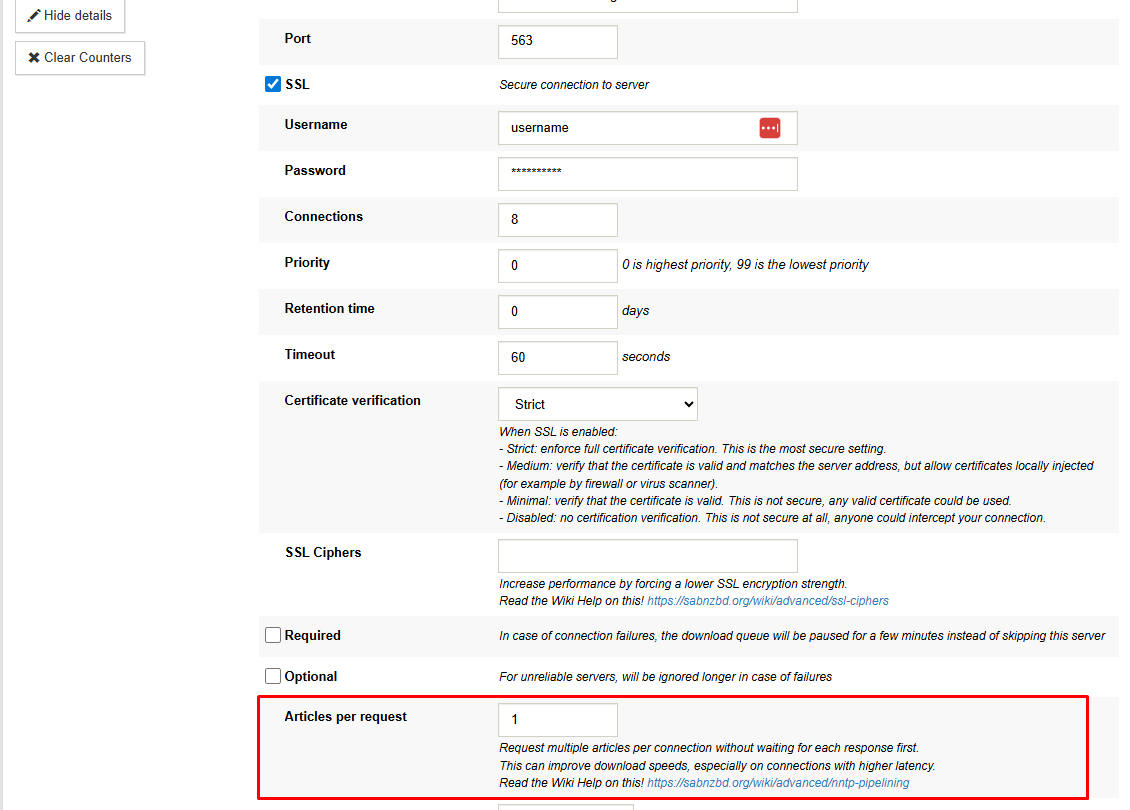
- Enter a value to control how many article requests are sent at once
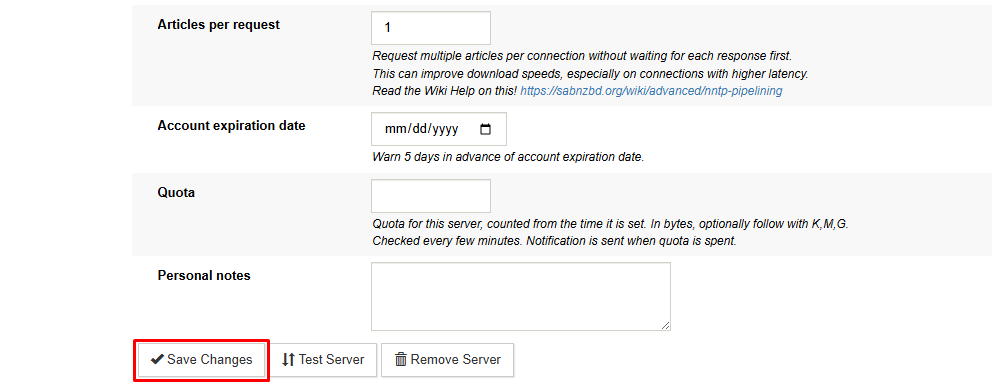
- Click Save Changes
Start with a moderate value and adjust based on performance. Higher values increase parallel requests, but overly high settings can reduce efficiency depending on your setup.
Ways to Get the Most from NNTP Pipelining
- Increase the value gradually and observe performance changes
- Combine with an appropriate number of connections for your plan
- Avoid assuming that higher numbers always lead to better results
Finding the right balance depends on latency, system performance, and available bandwidth.
What to Expect After Enabling
After enabling pipelining, SABnzbd may:
- Maintain more consistent transfer speeds
- Reduce pauses between article requests
- Improve efficiency when using fewer connections
If no improvement is observed, your connection may already be operating at full capacity, or latency may be low enough that pipelining provides minimal benefit.
Performance Considerations
NNTP pipelining is not a universal speed boost. Its impact depends on how quickly your system can send requests and receive responses.
- Lower latency environments may see little change
- Higher latency environments often benefit the most
- Increasing connections does not always increase bandwidth
Adjust settings carefully and test different values to determine what works best for your setup

